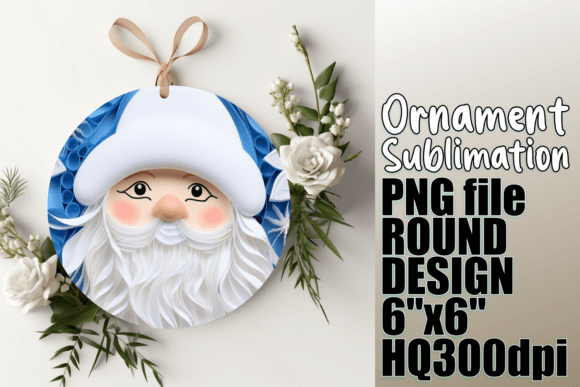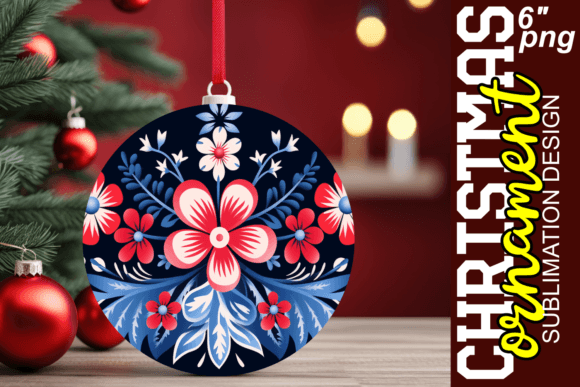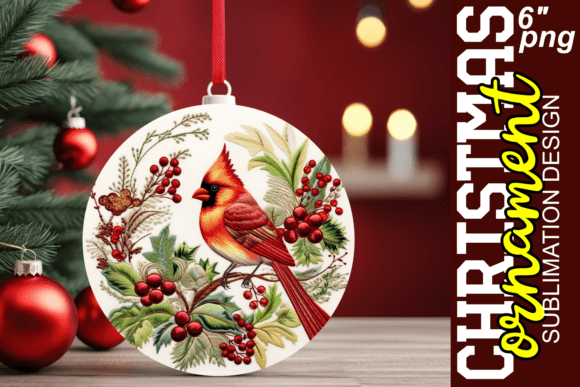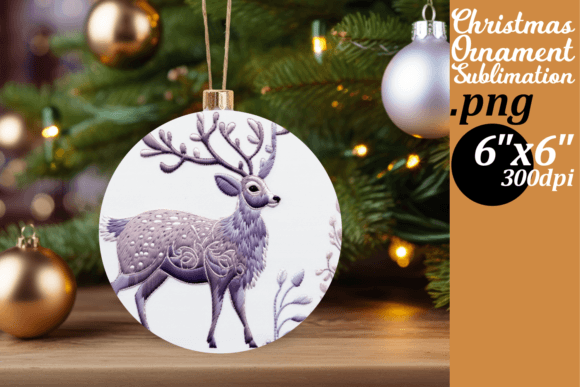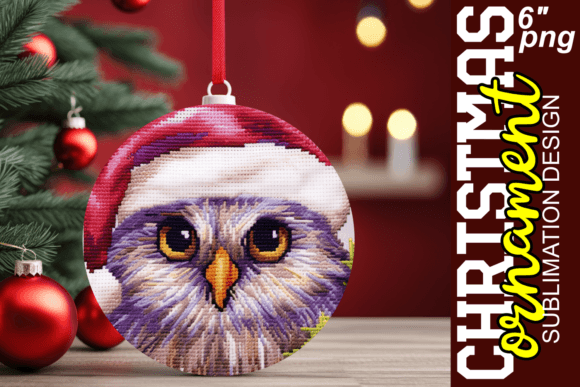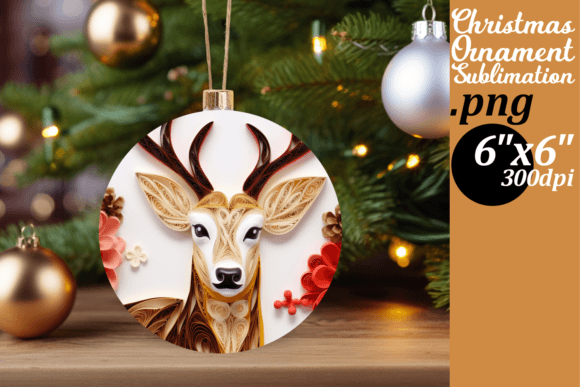
Festive 3D Round Ornament Designs for Creative Projects
As the holiday season approaches, many creators and small business owners are on the lookout for unique ways to add festive flair to their products. Festive 3D Round Ornament Designs offer a fresh and exciting solution for those who want to bring seasonal charm into their sublimation projects. These designs combine visual appeal with practicality, making them ideal for a wide range of applications—from custom mugs and tumblers to apparel and décor.
What Are Festive 3D Round Ornament Designs?
Festive 3D Round Ornament Designs are digital templates crafted specifically for sublimation printing. Each design is formatted as a high-resolution PNG file (300 DPI), ensuring crisp and clear results when printed onto round surfaces like mugs or ornaments. The 3D aspect adds depth and dimensionality, making these graphics stand out in both texture and visual impact.
The beauty of these templates lies in their adaptability. They are not just static images but creative foundations that can be modified to suit individual preferences or project needs. Whether you're looking to create a minimalist holiday look or something more vibrant and playful, the right design can make all the difference.
Why Sublimation Works Perfectly with These Designs
Sublimation printing is a technique where heat is used to transfer dye onto materials such as ceramics, fabric, or polymer-coated items. This process allows for full-color, durable prints that become part of the material itself rather than sitting on top of it. For round objects like mugs or ornaments, precision is key, and that’s where 6-inch x 6-inch round templates shine.
When using Festive 3D Round Ornament Designs, having the correct software—like Adobe Photoshop or Illustrator—is essential. These programs let you scale, rotate, and adjust colors to match your vision. Additionally, a quality sublimation printer and heat press will ensure the final product looks as intended. If you’re new to this process, take time to understand how each tool interacts with the other before starting your project.
Exploring Creative Possibilities
These designs open the door to countless creative interpretations. Here are some ideas to spark your imagination:
- Custom Holiday Mugs: Add a personalized touch to everyday drinkware by using these templates. Think family names, inside jokes, or even QR codes linking to holiday playlists.
- Seasonal Apparel: Design t-shirts, hoodies, or hats featuring festive 3D graphics. These could be great for charity events, office parties, or community gatherings.
- Home Décor Items: Transform plain tumblers, plates, or coasters into eye-catching holiday decorations. The 3D effect brings a tactile element that makes your creations feel special.
- Gifts with a Personal Twist: Create one-of-a-kind ornaments, keychains, or candle holders for clients, customers, or loved ones. A thoughtful gift with a custom design can leave a lasting impression.
- Event Merchandise: Use the templates to produce themed items for weddings, baby showers, or corporate events during the winter months. The festive vibe can enhance the overall experience.
Real-World Inspiration
Imagine a boutique owner who wants to launch a limited-edition line of holiday mugs. With Festive 3D Round Ornament Designs, they can quickly prototype different styles, from traditional snowflakes and reindeer to modern geometric patterns. Testing variations becomes easy when you have a ready-to-use template that fits standard mug sizes.
A blogger might use these designs to create a DIY tutorial series, guiding readers through the steps of designing and printing their own ornaments. By offering downloadable templates, they can turn content into a monetizable product while building a loyal audience around their brand of creativity.
Adapting for Different Users and Goals
Whether you're an educator, marketer, hobbyist, or entrepreneur, there's a way to tailor these designs to meet your specific goals. Let’s explore a few user-focused adaptations:
For Educators and Craft Enthusiasts
Use Festive 3D Round Ornament Designs in classroom activities or craft workshops. Students can learn about digital design, color theory, and the mechanics of sublimation by experimenting with these templates. The 3D effect also helps demonstrate how layered elements translate into real-world prints.
For Marketers and Branding Professionals
Incorporate the designs into promotional campaigns or branded merchandise. A marketing team might create a set of custom cups for a client's holiday giveaway, using the ornament designs as subtle branding elements. The 3D visuals can catch attention and make the product memorable.
For Small Business Owners and Entrepreneurs
Offer custom holiday items as a seasonal service. A local coffee shop, for example, could sell personalized mugs with customer names and festive 3D graphics. This approach not only drives sales but also strengthens customer relationships through personalization.
For Bloggers and Content Creators
Create engaging tutorials or video content showcasing how to use the templates effectively. Highlight different design variations and show how slight tweaks—like color schemes or layout adjustments—can change the mood of a piece. This kind of educational content builds trust and positions you as a go-to resource in your niche.
Maintaining Quality and Consistency
To get the best results from your Festive 3D Round Ornament Designs, focus on maintaining clarity and consistency across all your sublimation projects. Here are a few tips to keep in mind:
- Check Alignment: Before pressing, ensure the image is centered and aligned correctly on the item. Misalignment can ruin the final look, especially on curved surfaces.
- Optimize Color Usage: Use bold and contrasting colors for visibility, but avoid over-saturation which may bleed during the heating process.
- Test on Sample Materials: Always test your design on a sample item first. This helps identify any issues with placement, color accuracy, or durability.
- Keep It Simple: While 3D effects are appealing, overly complex designs can lose their impact when printed. Strive for balance between detail and readability.
- Organize Your Workflow: Set up a consistent process for editing, printing, and pressing. This ensures every item produced meets your quality standards and saves time in the long run.
Practical Tips for Using the Templates
Your download includes a single PNG file, so understanding how to work with it is crucial. Here’s how to make the most of what you receive:
- Open in Editing Software: Use programs like Photoshop or GIMP to modify the design. You can adjust colors, resize elements, or layer additional text.
- Experiment with Layout: Try rotating the design slightly or mirroring it for a fresh perspective. Sometimes small changes can lead to big creative wins.
- Combine with Other Elements: Don’t hesitate to mix the templates with other graphics or fonts. A cohesive blend can result in something truly original.
- Save in Layers: If your software supports layers, keep them separate for easier edits later. This is especially useful if you plan to reuse the design in different contexts.
- Backup Original Files: Always keep a copy of the unmodified design for future reference or re-use.
How to Troubleshoot Common Issues
Even with high-quality files, technical hiccups can occur. Here are some common problems and how to address them:
- Image Bleed: Ensure the design doesn’t extend beyond the 6x6 inch area. Cropping tightly prevents unwanted edges after printing.
- Color Fading: Use high-quality sublimation ink and follow recommended temperature settings for your heat press. Cheap ink or incorrect heat can lead to dull results.
- Blurry Prints: Check that the printer settings are configured for 300 DPI output. Also verify that the image is properly scaled to fit the print area without stretching.
- White Background Issues: Make sure the PNG’s transparent background is preserved. Some printers or software may convert transparency to white unless specified otherwise.
- Design Not Showing Up: Double-check that the file was imported correctly into your design software. Confirm that no layers are hidden or masked accidentally.
Getting Support and Making the Most of the File
If you encounter difficulties with the design file itself, support is available for issues related to the file structure or format. However, technical support for sublimation processes or equipment is beyond the scope of assistance. That said, online communities and forums are excellent resources for troubleshooting general sublimation challenges.
Before purchasing, consider whether you have the necessary tools and knowledge to use the file effectively. Sublimation requires specific hardware and a bit of practice, so being prepared will help you avoid frustration and wasted materials.
Final Thoughts: Elevate Your Festive Projects
Festive 3D Round Ornament Designs are more than just graphics—they’re a foundation for creativity during the holidays. From simple customizations to bold new interpretations, these templates empower users to bring their visions to life. As long as you have the right tools and mindset, the possibilities are endless.
Whether you’re creating gifts for friends, launching a seasonal product line, or teaching others how to design, these files offer value in both form and function. Keep experimenting, stay organized, and don’t forget to enjoy the process. After all, the holidays are all about spreading joy—and now you have the perfect tools to do just that.